
Loftia on Steam at a glance
| Main game | App 2320980, Early Access November 3, 2026 |
|---|---|
| Free demo | App 5315310, October 19–26, 2026 |
| Developer and publisher | Qloud Games |
| Platforms | Windows and macOS |
| Languages | 14 |
| Steam tags include | MMO and online co-op |
The main app versus the demo app
Loftia has two separate Steam store pages, and knowing the difference saves confusion. The main page, app 2320980, is the official listing for the full game and belongs to Qloud Games. It is where you wishlist Loftia now and where you will buy it when Early Access opens. The page lists Windows and macOS and labels the upcoming version as Early Access.
The second page, app 5315310, is the free Loftia Demo. It is the current trial destination and provides a free install button during the demo week. Installing the demo does not give you the full game. The two apps appear separately in your Steam library.
Both pages are published by Qloud Games, which is listed as the developer and publisher. Steam tags on the main page include MMO and online co-op, and the description talks about a persistent shared world. The page also lists 14 supported languages. It is the official destination for anything you buy.
Install the public demo
The free demo runs from October 19 to October 26, 2026 during Steam Next Fest. Open the Loftia Demo store page and choose the free install option. The October 19 announcement confirmed that the demo was live on that date. The developer’s official demo page also confirms the one-week trial.
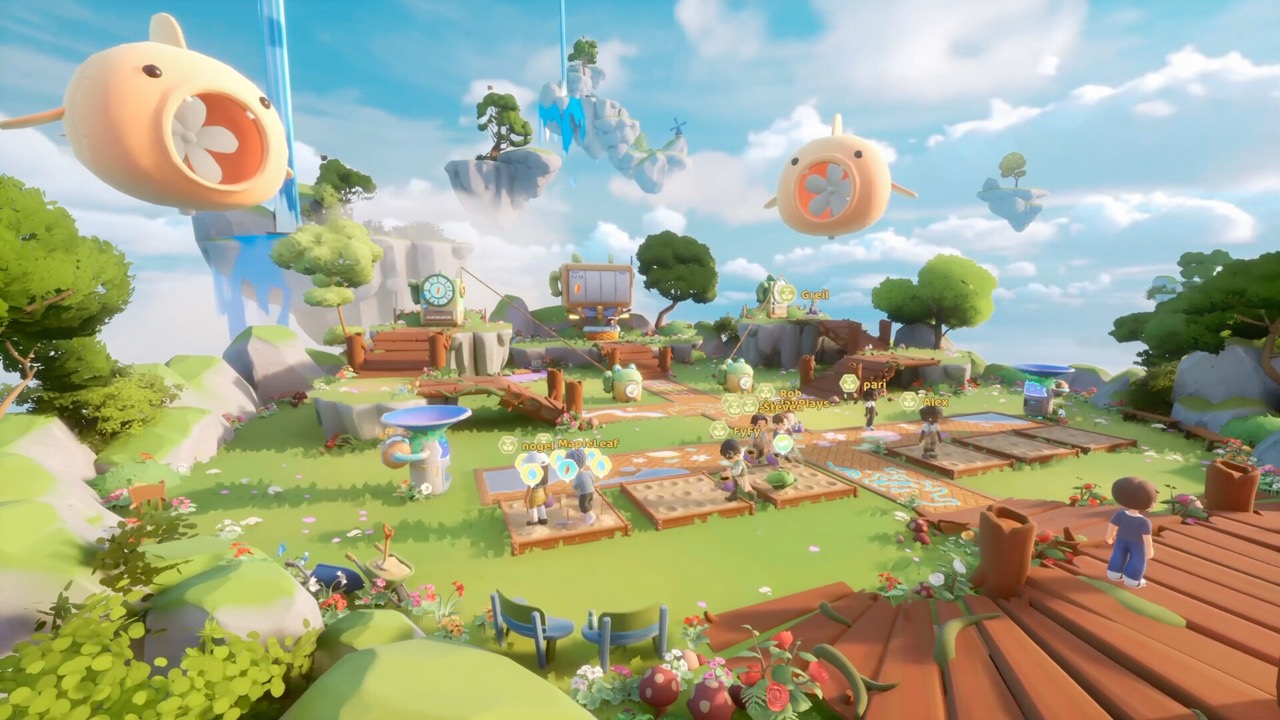
The demo covers the opening Loftia City quests, gathering, farming and home decoration, along with group Adventures. It ends before the Hanging Gardens quest segment, and skills are capped at Level 5 during the trial. That cap only applies to the demo. Check the install button again after October 26, because the trial has a fixed end.
An older Playtest entry in your library is not the same as the current public demo. Closed tests such as the April 2026 Beta used Steam keys and have now ended. If you see an old Loftia entry, make sure you are launching the Loftia Demo for this trial. The store page is the safest place to start.
Steam lists the demo and the full game as two separate products. Uninstalling the demo after the trial does not delete progress that you linked to your Loftia account. That progress lives with your account rather than in the demo files. You will see it again in Early Access.
Wishlist and the launch date
Adding Loftia to your wishlist on app 2320980 lets Steam notify you when Early Access opens. Early Access is scheduled for November 3, 2026 at 1pm EST, which is 10am PST and 18:00 UTC. A wishlist is not a purchase and does not reserve anything. It simply keeps the game on your radar.
The announced US Early Access base price is US$29.99, with a limited-time 17% launch discount to US$24.89. Other regions use regional pricing shown on the store page. The developer warns on Steam that pricing may rise before or at version 1.0. Your local store page will show the correct price on launch day.
Account linking and progress carryover
Steam handles installing the game, but your Loftia progress depends on your Loftia website account. In the demo, link that account in-game using your email. The October 19 announcement says linking preserves progress and rewards. Linked progress, items and quests then carry into Early Access.
Progress that is never linked cannot be recovered later. Create an account through the official pre-registration form if you do not have one. Website pre-registration is not a game license, so you still buy the game on Steam. Think of Steam as the store and launcher, and your Loftia account as your save and rewards.
The developer also offers a Neighborhood Demo Banner for demo players. It unlocks the first time you enter the Player Neighborhood and is claimed through the official website. Referral rewards such as the Pebble Chair and Pebble Couch are tracked through the same account. Steam itself does not handle these rewards.
Check the system requirements
The main Steam page lists system requirements for Windows and macOS. Mac players should open the macOS tab rather than reading the Windows DirectX requirements. The listed Mac minimum is macOS 14 Sonoma with an Apple M2 chip, 8 GB of RAM and 10 GB of storage. Intel-based Macs are excluded from that specification.
Every version requires a broadband internet connection. Loftia is an online shared-world game, so it cannot be played offline. Requirements can change before launch, so look at the store page again before buying. The demo is also a practical way to test your hardware for free.
Windows players should read the Windows tab of the requirements on the same page. The game also supports controllers on PC, according to the official FAQ. If you are unsure whether your PC is powerful enough, try the demo before launch. It runs on the same platforms as the full release.
Steam Deck and controllers
The official FAQ confirms Steam Deck support and controller or gamepad play. That is a commitment from the developer. It should not be confused with a Valve Verified badge, which is a separate rating on Steam. No measured Deck frame rate or recommended settings were verified for this page.
If you own a Steam Deck, the free demo is a sensible way to try the game on your device. Remember that the Deck also needs an internet connection to play. Our Steam Deck guide covers what is and is not confirmed. A Nintendo Switch version is planned separately for 2027.
Steam community and announcements
Qloud Games posts official news on Loftia’s Steam announcements page. The demo launch, the release date and the Closed Beta were all announced there. It is one of the best places to check when dates or rewards change. The Steam Community Hub also hosts player discussions.
For questions to the team, the official FAQ points players to the Loftia Discord. The official website and Linktree list the same invite link. Steam reviews and forums will become more active after Early Access begins. Use official announcements as the final word on dates and prices.
Steam is also where you will leave a review after playing Early Access. The developer’s Early Access statement on the store page explains the plans for this phase. It mentions the three main regions of Loftia City, Hanging Gardens and Gridfall. Reading it gives a clear picture of what the first release includes.
Official video
Sources and further reading
- Loftia — Steam store page and Early Access statement
- Loftia Demo — Steam store page
- Qloud Games — Official Steam announcements
- Loftia — Official Demo and Early Access overview
- Loftia — Official FAQ
- Team Loftia — Early Access announcement on Reddit, September 20, 2026
- Loftia — Official pre-registration form
- Loftia — Official Linktree