
First session checklist
| Step 1 | Install the free demo on Steam |
|---|---|
| Step 2 | Link your Loftia website account in-game |
| Step 3 | Follow the opening Loftia City quests |
| Step 4 | Try gathering, salvaging and crops |
| Step 5 | Set up and decorate your home |
| Step 6 | Claim the Neighborhood Demo Banner |
Install, link your account and log in
The free Loftia demo runs on Steam from October 19 to October 26, 2026. Install it from the separate Loftia Demo store page, which is free. If you do not have a Loftia website account yet, create one through the official registration form. A referral code on that form is optional.
Before you get absorbed in the game, link your website account in-game using your email. The developer’s October 19 announcement repeats this step for a reason. Linked progress, collected items and quests carry into Early Access. Progress that is never linked cannot be recovered.
Loftia always needs an internet connection, even if you plan to play alone. Make sure your PC or Mac meets the requirements on Steam before installing. Mac players need macOS 14 Sonoma with an Apple M2 chip, and Intel Macs are excluded. Steam Deck support and controller play are confirmed.
Follow the opening city story
The official demo announcement identifies the opening quests in Loftia City as the starting point. Following those story prompts is the clearest way to learn the game. They introduce activities in order, so you are not left guessing what to try next. Treat them as your guide for the first hour.
This is an editorial recommendation rather than a verified optimal route. We do not publish an exact quest unlock order or keyboard bindings, because those were not confirmed from readable sources. Prompts in the game are the authority for what to do next. If something new appears, the quest log is the best place to look.
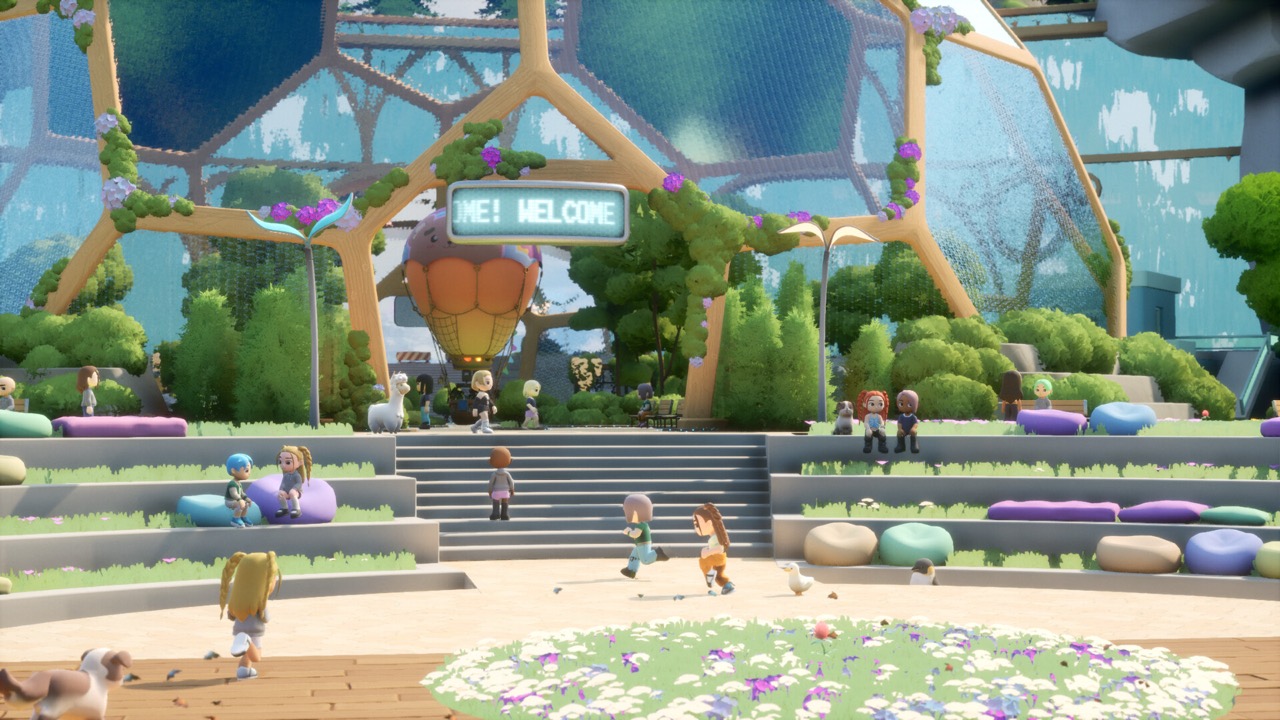
Loftia City is the hub where the opening story takes place. The Game of Nerds described the city hub and its community activities during the Beta. Spending time there helps you meet other players and learn where things are. It is also where the demo’s questline begins.
Gather, grow and start crafting
Loftia’s core loop is gathering, crafting, farming and building a home. The official website supports that loop, and the demo announcement mentions salvaging and crops. A Massively Overpowered Beta preview noted that the tutorial introduced gathering and growing before the home island. That gives you a good sense of the early order.
Gathering and salvaging provide materials for crafting useful tools. The official website links crafting to renewable energy. Beta previews described crafting machines powered by a battery charged by solar energy on your island. Those Beta observations may change, so follow what the current game shows you.
Farming starts simply in the demo with growing crops. More advanced systems such as Hydroponics Stations belong to Early Access. A recent creator tips video mentioned protecting crops and quick tool access, but its description did not include detailed instructions. Our farming and crafting guides go deeper on what is confirmed.
Set up and personalize your home
The demo includes home setup and decoration. Your home sits on a personal floating island within a shared neighborhood. The official website describes islands for farming, crafting and decoration that link into neighborhoods. Setting up your home early gives you a base for everything else.
Entering the Player Neighborhood for the first time unlocks the Neighborhood Demo Banner. You claim that reward through your account on the official Loftia website. It is a simple early goal for new players. Our housing guide explains what is confirmed about islands and neighborhoods.
Try social activities and earn demo rewards
Loftia is an online shared-world MMO, so other players are part of the experience. The demo announcement confirms group Adventures and social activities. The Game of Nerds Beta preview also described the city hub, scavenging and community activities. You can join in or play solo at your own pace.
If you want to play with friends, everyone needs to be on the same server. The demo also has friend-invite rewards tracked on your official account. The Pebble Chair requires one invited friend, and the Pebble Couch requires two. These are the documented demo rewards beyond the Neighborhood Demo Banner.
Social activities are optional, so do not feel pressured to join every event. Solo progression is supported by the developer. You can mix quiet farming sessions with occasional group Adventures. Many players find that balance the most relaxing way to play.
Protect your character name
Character names chosen in the demo can carry into Early Access. The official announcement says a name can be released if you do not log into Early Access between November 3, 2026 and February 3, 2027. Logging in once in that window protects it. Linking your account during the demo makes that possible.
Your website username is not the same as your in-game character name. Name reservation depends on the game account, not on the registration form. If a name matters to you, choose it in the demo and plan to log in after launch. Check the official demo page if the conditions change.
What the demo cannot teach yet
The demo has a restricted scope. Its questline ends before the Hanging Gardens quest segment, and skills are capped at Level 5. That cap is only for the demo and is not the full game’s level cap. Some systems expand only once Early Access begins.
Early Access adds content such as the Hanging Gardens and Gridfall regions, advanced farming and expanded proficiencies. Guides made during the Beta can be useful, but creators themselves warned that systems might change. A PixelShaun first-hour guide from April 2026 is one example of that kind of Beta-era advice. Check older tips against the current game before relying on them.
Proficiencies such as Crafting, Cooking and Fishing expand in Early Access, according to the official overview. The demo gives you a first taste of the systems behind them. Do not worry about maximizing everything during the trial week. Your linked progress continues when the full game opens.
Your next steps after the demo
Loftia enters Early Access on November 3, 2026 at 1pm EST, which is 10am PST and 18:00 UTC. The announced US price is US$29.99, with a limited-time launch price of US$24.89. There is no required subscription, and optional purchases are cosmetic. Wishlist the game on Steam to be notified on launch day.
When Early Access opens, log in with your linked account to continue where you left off. Keep following the story prompts as new regions open. Join the official Discord if you want to ask the team questions. Our other guides cover farming, crafting, housing and earning Dew in more detail.
Official video
Sources and further reading
- Qloud Games — Official Steam announcements
- Loftia — Official Demo and Early Access overview
- Loftia Demo — Steam store page
- Loftia — Official pre-registration form
- Loftia — Official FAQ
- Loftia — Official website
- Massively Overpowered — Hands-on Beta impressions, May 13, 2026
- The Game of Nerds — Playing Loftia’s Beta, May 14, 2026
- Qualbert — Loftia Beta Playtest Preview, May 8, 2026
- Loftia — Steam store page and Early Access statement
- Team Loftia — Early Access announcement on Reddit, September 20, 2026
- Loftia — Official Discord gateway