
Loftia demo at a glance
| Dates | October 19–26, 2026 |
|---|---|
| Where | Loftia Demo on Steam, app 5315310 |
| Cost | Free |
| Progress carryover | Yes, after linking your website account |
| Demo ends | Before the Hanging Gardens quest segment |
| Name deadline | Log into Early Access by February 3, 2027 |
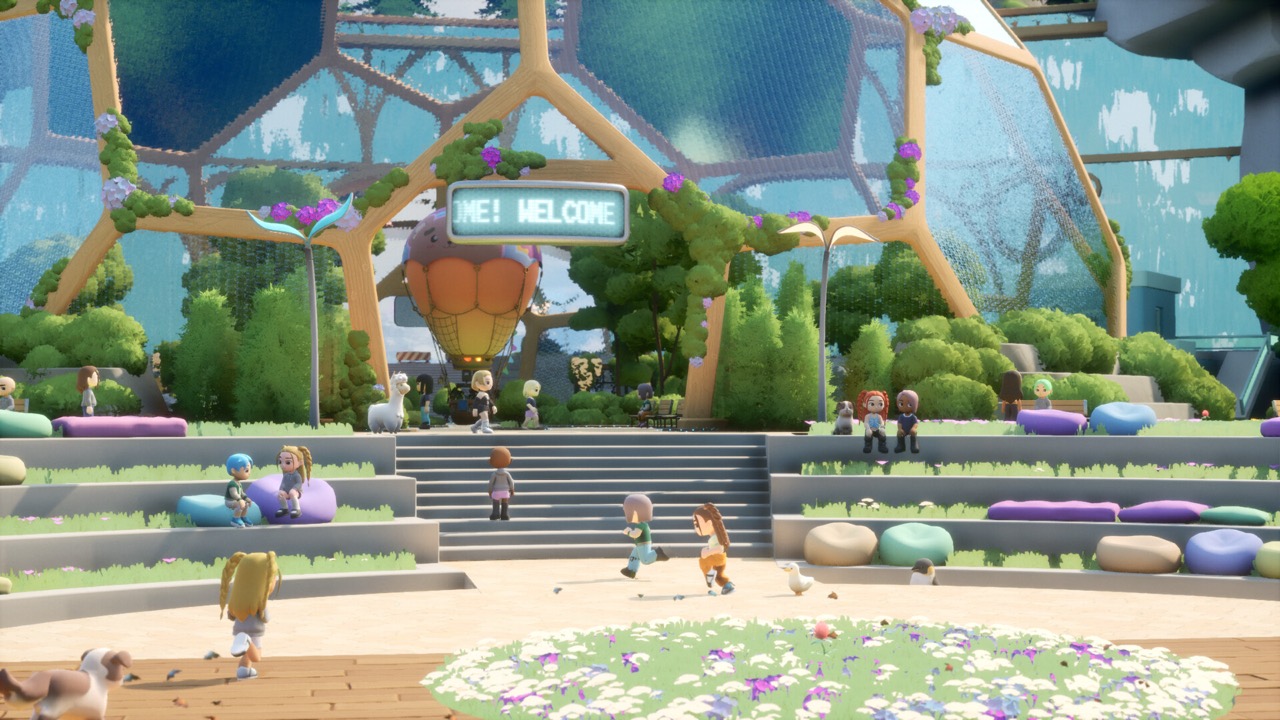
Demo dates and where to download it
The Loftia demo is a one-week public trial that opened on October 19, 2026 and runs until October 26. It sits inside the Steam Next Fest window, and it has its own free store page on Steam, separate from the main game. Search for Loftia Demo or open app 5315310 to install it. The main Loftia page, app 2320980, is where you wishlist and later buy the full game.
Because the demo is time-limited, the install button may change after October 26. Check the official demo page if you arrive late, since the developer updates it with the current status. After the trial ends, the next public step is Early Access on November 3, 2026. The demo is free, but the Early Access release is a paid game.
What the demo includes
The October 19 announcement describes the opening quests in Loftia City, salvaging, growing crops and decorating a home. It also mentions group Adventures and social activities with other players. That gives you a real sample of the cozy MMO loop of gathering, farming and building a life on floating islands. It is the same world you will continue in Early Access, not a separate mode.
The demo has a deliberately restricted scope. The questline ends before the Hanging Gardens quest segment, and Level 5 is the proficiency cap for skills during the trial. That Level 5 limit applies only to the demo and is not the level cap of the full game. Larger systems such as advanced farming and expanded proficiencies are part of the Early Access content.
The October 19 announcement frames the demo as a way to start your life in Loftia early rather than as a separate test. Your character, home and early quests are the same ones you continue later, provided your account is linked. That is a big difference from the earlier Closed Beta, which was a restricted test build. It also means time spent in the demo is not wasted.
Link your account before you stop playing
Progress transfer depends on your Loftia website account. Create one through the official registration form if you do not have it yet, then link it inside the demo using the same email address. Existing account holders can simply log in and link. A referral code is optional on the form, so you do not need a code from anyone to sign up.
The developer’s October 19 announcement is clear that unlinked progress cannot be recovered. Your linked progress, collected items and quests are the parts that carry over to Early Access. If you play several sessions, check that the link is in place after the first one. This single step matters more than any early tip about what to do first.
Linking uses your email, so use the address you plan to keep for Early Access. If you registered before, for example during pre-registration, log in with that same account rather than making a new one. Mismatched emails are a known cause of reward problems, according to a developer update for backers. Getting this right in the demo avoids having to contact support later.
Claim the Demo Banner and friend rewards
The demo has a participation reward called the Neighborhood Demo Banner. It unlocks the first time you enter the Player Neighborhood in the demo. You then claim it through your account on the official Loftia website. Linking your account first makes sure the reward has somewhere to go.
There are also referral rewards for inviting friends, which you track through your official account. The Pebble Chair requires one invited friend, and the Pebble Couch requires two. These rewards come from the official referral system, not from a public code. Be wary of videos or posts that promise extra free items through unofficial links.
Keep your character name
Character names chosen in the demo can carry into Early Access, but there is a condition. According to the October announcement, a name can be released if you do not log into Early Access between November 3, 2026 and February 3, 2027. Logging in once during that period is the simple way to protect it. The conditions are time-sensitive, so check the official demo page for any updates.
A website username is not the same thing as an in-game character name. Reserving your name depends on playing and logging in with a linked account, not on what you typed into a web form. If the name matters to you, link early and plan to log in after launch. Our pre-registration guide explains how the website account fits in.
Demo, Beta and Early Access compared
Loftia has had several test phases, and it is easy to mix them up. The Closed Beta ran from April 22 to May 6, 2026 and was limited to eligible backers and partners. The October demo is open to everyone on Steam for free, but only for one week. Early Access, starting November 3, is the paid, ongoing version of the game.
Old Beta videos and guides can still be useful for background, but their rules do not automatically apply to the demo. Systems shown during the Beta may have changed, and some content may be gated differently. When a detail matters, such as rewards or deadlines, follow the official demo page. Our Beta guide covers that earlier test in detail.
Before you install
The demo runs on the same platforms as the launch version, which means Windows and macOS through Steam. Mac players need a Mac that meets the macOS requirements on Steam, and Intel-based Macs are excluded. Loftia also needs an internet connection at all times, including in the demo. Steam Deck support and controller play are confirmed for the game.
If you enjoy the trial, add the main game to your Steam wishlist so you are notified on November 3. The announced Early Access price is US$29.99, with a limited-time launch price of US$24.89. Keep your demo account linked and you will pick up where you left off. That is everything you need to get the most out of this one-week window.
Creator videos published around the demo launch can help you see the trial before installing it. Treat their tips as personal advice, because the descriptions do not include verified step-by-step instructions. Deadlines, rewards and carryover rules should always be checked against the official demo page. The page is updated by the developer if any of those conditions change.
Official video
Sources and further reading
- Loftia — Official Demo and Early Access overview
- Qloud Games — Official Steam announcements
- Loftia Demo — Steam store page
- Loftia — Steam store page and Early Access statement
- Loftia — Official pre-registration form
- Loftia — Official FAQ
- Qloud Games — BackerKit project updates