
Loftia PC requirements at a glance
| Minimum Windows | Windows 10 64-bit, Core i3-10100F or Ryzen 3 3100, 8 GB RAM, GTX 1050 or RX 560, DirectX 11 |
|---|---|
| Recommended Windows | Windows 11 64-bit, Core i5-12600K or Ryzen 5 5600, 16 GB RAM, GTX 1660 or RX 5600 XT, DirectX 12 |
| Storage | 10 GB |
| Network | Broadband internet, always online |
| Mac | Apple Silicon only, M2 minimum |
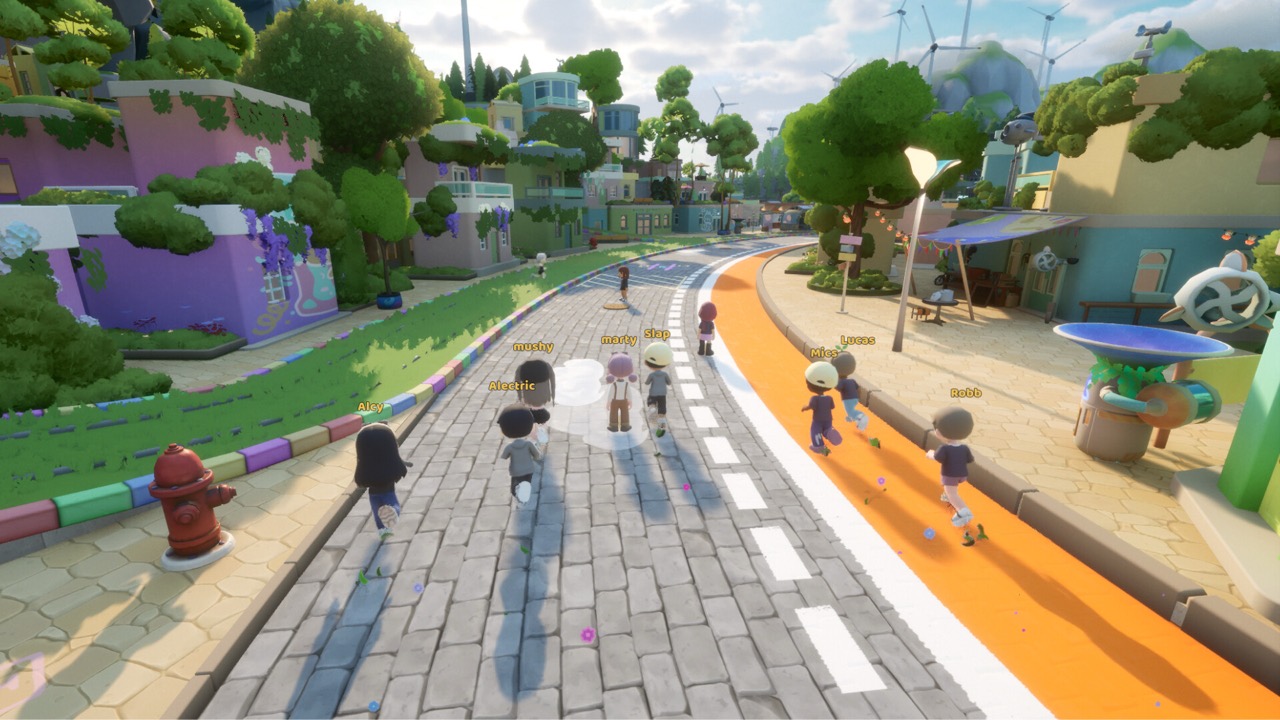
Minimum Windows specification
The Steam listing gives Windows 10 64-bit as the minimum operating system. The minimum processor is an Intel Core i3-10100F or an AMD Ryzen 3 3100, or an equivalent chip. The listing also asks for 8 GB of RAM and a DirectX 11 capable system. Storage is 10 GB.
For graphics, the minimum is an NVIDIA GeForce GTX 1050 or an AMD Radeon RX 560, or an equivalent card. These are entry-level cards from several years ago. A budget desktop or an older gaming laptop with one of them should meet the published floor. Integrated graphics on very old processors may fall short, though no official test was published for them.
A broadband internet connection is part of the minimum as well. The official FAQ states that you must be online to play, no matter which platform you use. That makes the network requirement as important as the hardware. A stable connection matters more here than in a single-player game.
Recommended Windows specification
The recommended tier asks for Windows 11 64-bit and an Intel Core i5-12600K or AMD Ryzen 5 5600. Memory doubles to 16 GB of RAM. The graphics card moves up to an NVIDIA GeForce GTX 1660 or an AMD Radeon RX 5600 XT. DirectX 12 is listed instead of DirectX 11.
Storage stays at 10 GB in both tiers, so the gap between them is about processing power and memory. The recommended hardware is meant for a smoother experience in busy areas with many players. Crowded hubs and large homes are the places where extra headroom is most likely to help. The listing does not state a target frame rate or resolution for either tier.
If your PC sits between the two tiers, you are probably in good shape for normal play. A machine that only just meets the minimum may need lower settings when many characters share a screen. The developer says performance optimization is still being worked on. Later updates may change how the game runs on mid-range hardware.
Mac specification
Mac players have their own table on the Steam page. The minimum is macOS 14 Sonoma with an Apple M2 chip, 8 GB of RAM and 10 GB of storage. The recommended setup uses an Apple M2 Pro chip with 16 GB of RAM. Graphics come from the integrated GPU in each chip.
Intel-based Macs are not supported at all. An M1 Mac sits below the stated M2 baseline, so it is not covered by the published minimum. Check your chip under About This Mac before you decide to buy. Our dedicated Mac page explains the details further.
Do not mix up the Windows and macOS tabs when you read the store page. The DirectX and graphics card entries apply only to Windows. The macOS tab is the one that decides whether your Mac qualifies. Both tabs also require a broadband connection.
Can a low-end or older PC run Loftia?
The honest answer is that it depends on how far below the minimum your parts fall. A machine with a GTX 1050 class card and 8 GB of RAM meets the stated floor. A system with only integrated graphics or 4 GB of memory does not. No official benchmark for such systems has been published.
Loftia is a stylized game rather than a photorealistic one, which suggests modest demands. That is an observation about its art style, not a promise about performance. We did not verify frame rates on specific hardware for this page. Treat any numbers on forums as individual reports.
If you are unsure, the free demo is the safest test. It runs on Steam through its own store page, app 5315310. Playing a short session tells you more than comparing part numbers. The demo covers only a slice of the game, but it is enough to judge basic performance.
How to check your own PC
On Windows, press the Windows key and R, type dxdiag and press Enter to open the DirectX Diagnostic Tool. The System tab shows your processor, memory and DirectX version. The Display tab shows your graphics card. Compare those entries with the two tiers above.
The Windows Settings app also lists your processor and installed RAM under the About page. Task Manager shows your graphics card in its Performance tab. Make sure your drivers are up to date before launch day. Outdated graphics drivers are a common cause of crashes in new releases.
Free disk space is the easiest requirement to overlook. The listing asks for 10 GB, but you should leave extra room for patches. An SSD is not listed as a requirement. Even so, a faster drive usually shortens loading times in most online games.
Steam Deck, controllers and other platforms
The official FAQ confirms that Loftia is fully playable with a controller or gamepad, in addition to keyboard and mouse. Steam Deck support is also confirmed there. Valve’s own compatibility rating is a separate matter, covered on our Steam Deck page. Internet access is required on a Deck as well.
The FAQ says Loftia can be played on Steam and the Epic Games Store, on both Mac and PC. Each platform requires a separate purchase. Cross-play is still being researched and is not confirmed. Early Access is digital only.
A Nintendo Switch version is planned for 2027, with no hardware requirements or price announced. Until then, a PC or Mac is the way to play. The Switch plan does not change the PC tiers described here. Our Switch page tracks what is confirmed.
Will the requirements change?
Requirements can change before or during Early Access. The official FAQ says the team is still working hard on optimizing performance. New content and systems can also raise the demands over time. The Steam page is where any updated numbers appear first.
The developer expects Early Access to last about a year, with the 1.0 date depending on community feedback. Planned 1.0 features include the Study Cafe, Player Markets and Clubs. Larger systems can add load, so a PC that is borderline today may need an upgrade later. Keep that in mind if you are buying hardware specifically for this game.
Avoid old screenshots of requirement tables, because they may be outdated. Check the Steam listing again shortly before November 3, 2026. The release happens at 1pm EST on that day. Wishlisting the game keeps you informed of announcements.
Before you buy
The announced US base price is US$29.99, with a limited-time launch price of US$24.89. Other regions use regional pricing on Steam. There is no required subscription. Check our price page for the full breakdown.
Try the demo from October 19 to 26, 2026 if you want proof that your machine copes. Link your Loftia website account in-game so progress carries into Early Access. Unlinked demo progress cannot be recovered. That small step protects your time investment.
If your hardware falls short, wait for community reports after launch before spending money on upgrades. Players will share real-world settings and performance numbers within days. Our guides will help once you are in the game. Start with the beginner guide when Early Access opens.
Sources and further reading
- Loftia — Steam store page and Early Access statement
- Loftia — Official FAQ
- Loftia — Official Demo and Early Access overview
- Loftia Demo — Steam store page
- Qloud Games — Official Steam announcements