
Loftia Discord at a glance
| Official invite | discord.com/invite/loftia |
|---|---|
| Official gateway | loftia.gg/discord |
| Run by | Qloud Games, the developer |
| Use it for | News, questions and community events |
| Also listed on | Official Linktree and trailer descriptions |
| Member count | Changes constantly, not listed here |
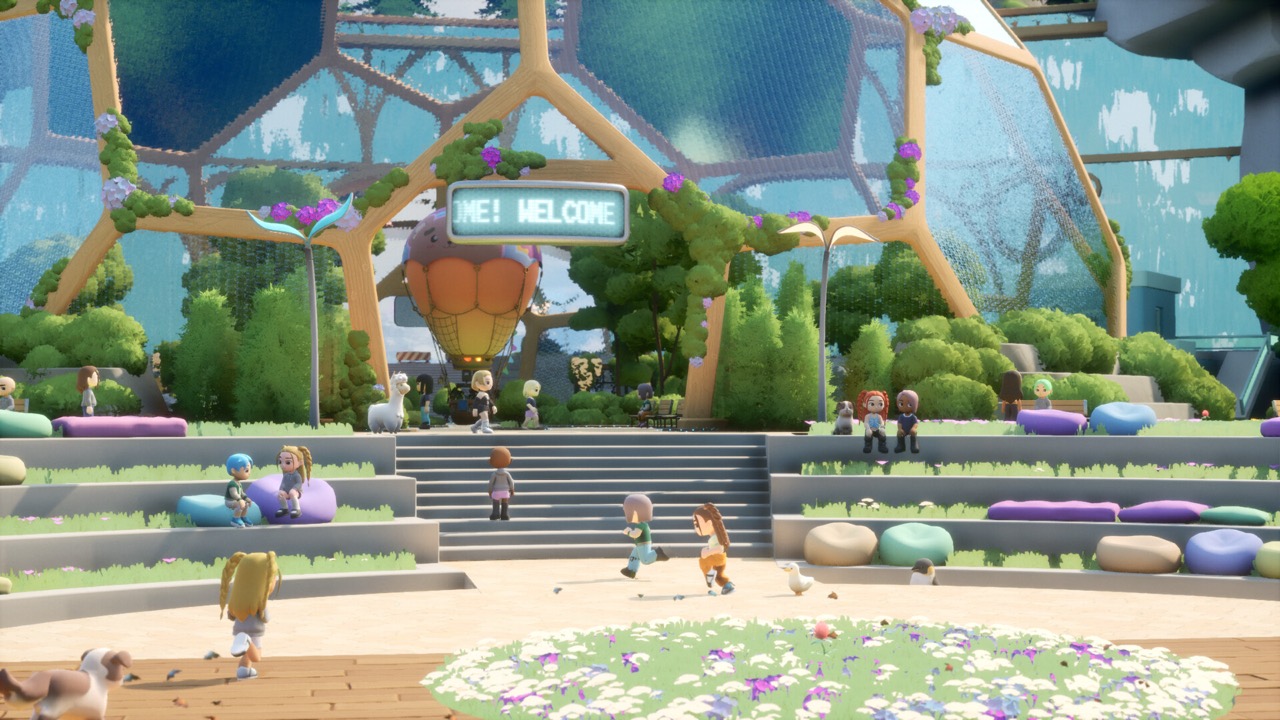
Join the official server
The official invite link is discord.com/invite/loftia. The Loftia FAQ directs players to this Discord when they want to talk to the team or other players. Joining is free and works with any Discord account. Once you accept the invite, the server appears in your Discord sidebar.
The studio also runs a dedicated landing page at loftia.gg/discord. That gateway page belongs to the developer and points to the same community. Using it is a simple way to make sure you are joining the real server. The official Linktree lists the same Discord entry among the studio’s social links.
The invite is repeated in several official places. The description of the official release date trailer on YouTube includes the studio’s Discord invite. Qloud Games’ announcements on Steam use the same invite for launch activities and community events. Seeing it in all of these places is a good sign you have the right link.
Verify the invite from the official website
Many links in video descriptions and comments lead to creators’ personal Discord servers. Those communities can be friendly and useful, but they are not the official server. If you specifically want the developer’s community, start from the official website. Click through from loftia.gg or loftia.gg/discord.
Be cautious with any invite that promises free items, codes or early access. The official sources checked on October 19, 2026 did not show any publicly reusable reward code. Rewards are tied to official accounts, demo participation and referrals. A server that asks for your account password is not legitimate.
Ask questions and find announcements
The official FAQ identifies a questions channel where you can ask the team about the game. That is the recommended route when something is not covered by the FAQ. Clear, specific questions are easier for the team to answer. Check whether your question has already been asked before posting.
Announcements about events and launch activities are shared through official channels, including the Discord. The same news often appears on the Steam announcements page. For example, the demo launch and the November 3 release date were both published on Steam. Following both helps you catch important dates.
No private server content was accessed for this guide. Channel names and layouts can change as the community grows. We describe the purpose of the server rather than listing exact channels. Explore the server after joining to find what you need.
Official server versus creator communities
Several YouTube creators cover Loftia and run their own Discord servers. Their video descriptions usually link to those personal communities. That is normal, but it can make searching for the official server confusing. The official server is the one linked from the Loftia website.
Creator communities can be great for tips, streams and finding people to play with. They do not speak for the developer, though. Information about rewards, deadlines and access should be checked against official sources. When in doubt, use the official FAQ and announcements.
Some creators also share their own referral codes and links in their communities. Using a creator’s referral is optional and is not required to join anything official. Official rewards are tracked through your Loftia account on the official website. The official Discord does not replace that account system.
What the community is useful for right now
Right now Loftia is in its pre-launch period. The free demo runs on Steam from October 19 to October 26, 2026. Early Access opens on November 3, 2026 at 1pm EST. The Discord is a natural place to talk about the demo and plan for launch.
Players often have questions about account linking, which matters for keeping demo progress. Linked progress, items and quests carry into Early Access, while unlinked progress cannot be recovered. The Neighborhood Demo Banner is claimed through the official website. These topics come up often, and official answers are worth following.
Loftia’s Steam page lists 14 supported languages, so the community is international. Players from many regions talk about the same demo and launch. Remember that time zones differ when events are announced. Early Access launches at 18:00 UTC, which you can convert to your local time.
Find friends to play with
Loftia is an online shared-world MMO where friends need to be on the same server. A community server makes it easier to coordinate which server to choose. You can also find players interested in group Adventures and community projects. The game supports solo progression too, so the Discord is optional.
Referral rewards give another reason to invite friends. During the demo, the Pebble Chair requires one invited friend and the Pebble Couch requires two. These are tracked through your official account, not through Discord. Sharing your own referral code is optional for your friends to use.
Where to check current access and reward news
For the most reliable information, use a combination of official sources. The official FAQ covers platforms, price, online requirements and languages. The official demo page covers demo dates, rewards and carryover. Steam announcements cover major news such as release dates.
The Discord adds a direct line to the team and the community. Member counts and online numbers change constantly, so we do not list them here. The official Linktree collects the studio’s social channels, including Reddit and YouTube. Bookmark the ones you use most.
The official YouTube channel is another official source, with trailers such as the release date trailer. Reddit’s r/loftia community also carries posts from Team Loftia. The Steam Community Hub hosts player discussions and announcements. Each channel has a different style, but the Discord is the most direct way to reach the team.
Staying safe on Discord
Treat direct messages offering free copies, keys or rare items with suspicion. The developer’s documented rewards come through official accounts and announcements. Never share your Loftia account password or email verification codes with anyone. Report suspicious messages using Discord’s tools.
If you need help with purchases, Steam support handles refunds and payments. Account and reward questions can go to the official team through the official channels. Keep your account email consistent to avoid reward problems. With those basics in mind, the Discord is a friendly place to join.
Remember that Discord moderators and the development team are separate from Steam support. Each handles a different kind of request. Use the official server for game questions and community news, and Steam for purchases. Knowing which is which gets you answers faster.
Sources and further reading
- Loftia — Official FAQ
- Loftia — Official Discord gateway
- Loftia — Official Linktree
- Qloud Games — Official Steam announcements
- Loftia — Official website
- Loftia — Official pre-registration form
- Loftia — Official Demo and Early Access overview
- Qloud Games — BackerKit project updates